
ESP8266 Thông báo email khi cửa mở
Hướng dẫn này sẽ cho bạn biết cách thiết lập ESP8266 để gửi email khi cửa mở. Chúng tôi sẽ đề cập đến quá trình thiết lập, các bộ phận cần thiết, và cung cấp hướng dẫn chi tiết từng bước về cách kết nối ESP8266 với một cảm biến cửa và một dịch vụ email. Điều này sẽ tăng cường an ninh cho ngôi nhà của bạn bằng cách thông báo ngay cho bạn qua email mỗi khi cửa mở.
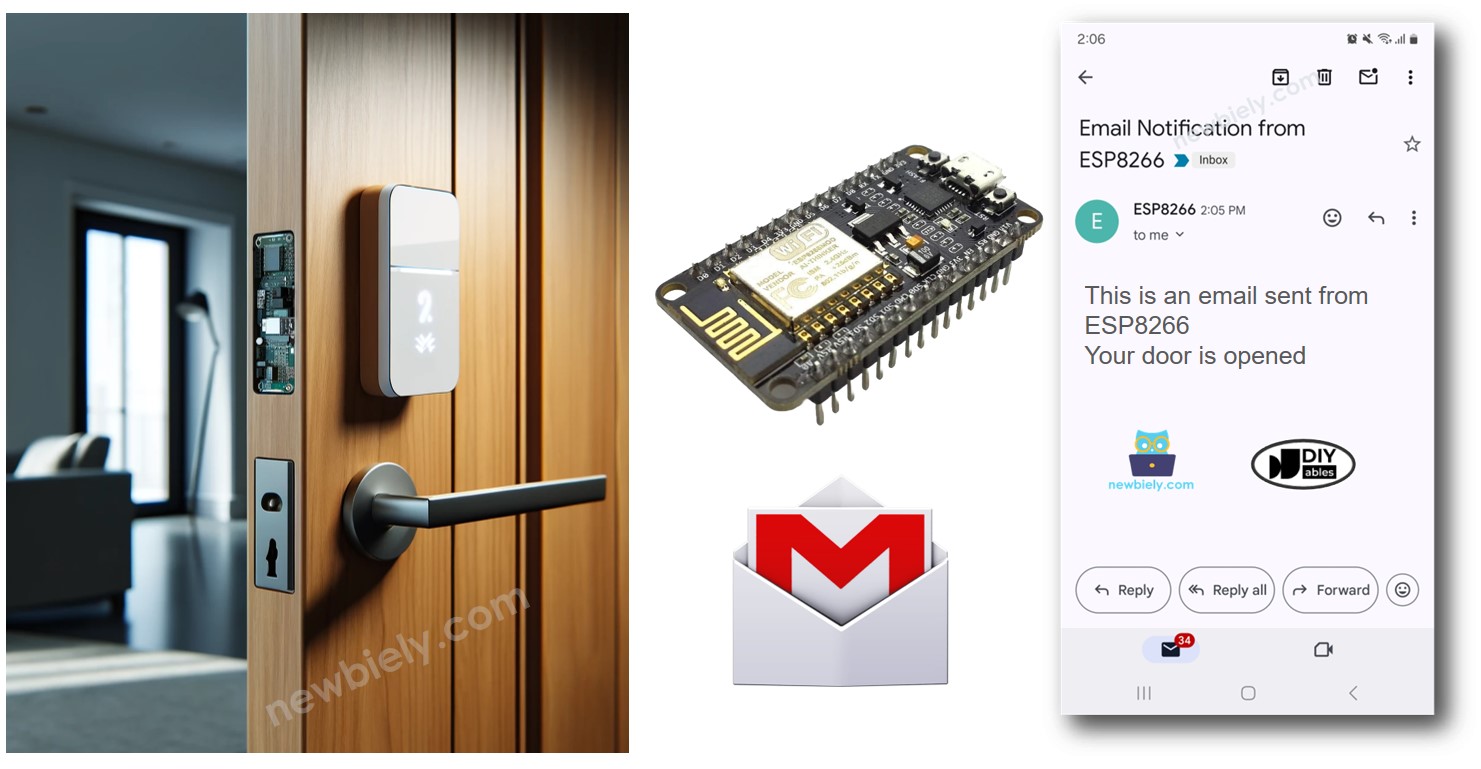
Phần cứng cần chuẩn bị
| 1 | × | ESP8266 NodeMCU ESP-12F | Amazon | |
| 1 | × | Alternatively, ESP8266 D1 Mini NodeMCU ESP-12F | Amazon | |
| 1 | × | Micro USB Cable | Amazon | |
| 1 | × | Alternatively, ESP8266 NodeMCU ESP-12E (Uno-form) | Amazon | |
| 1 | × | USB Cable Type-A to Type-C (for USB-A PC) | Amazon | |
| 1 | × | USB Cable Type-C to Type-C (for USB-C PC) | Amazon | |
| 1 | × | cảm biến cửa | Amazon | |
| 1 | × | (Tùy chọn) DC Power Jack | Amazon | |
| 1 | × | breadboard | Amazon | |
| 1 | × | dây jumper | Amazon | |
| 1 | × | (Khuyến nghị) Screw Terminal Expansion Board for ESP8266 | Amazon |
Or you can buy the following kits:
| 1 | × | DIYables Sensor Kit (18 sensors/displays) | Amazon |
Về cảm biến cửa và Gmail
Chúng tôi cung cấp các hướng dẫn chi tiết về Cảm biến cửa và Gmail. Mỗi hướng dẫn đều có đầy đủ chi tiết và các bước hướng dẫn dễ hiểu để thiết lập phần cứng, hiểu cách nó hoạt động, và cách kết nối cũng như lập trình ESP8266. Bạn có thể tìm hiểu thêm về các hướng dẫn này bằng cách theo các liên kết sau đây:
- ESP8266 - Cảm biến cửa hướng dẫn
- ESP8266 - Gmail hướng dẫn
Sơ đồ nối giữa cảm biến cửa và ESP8266
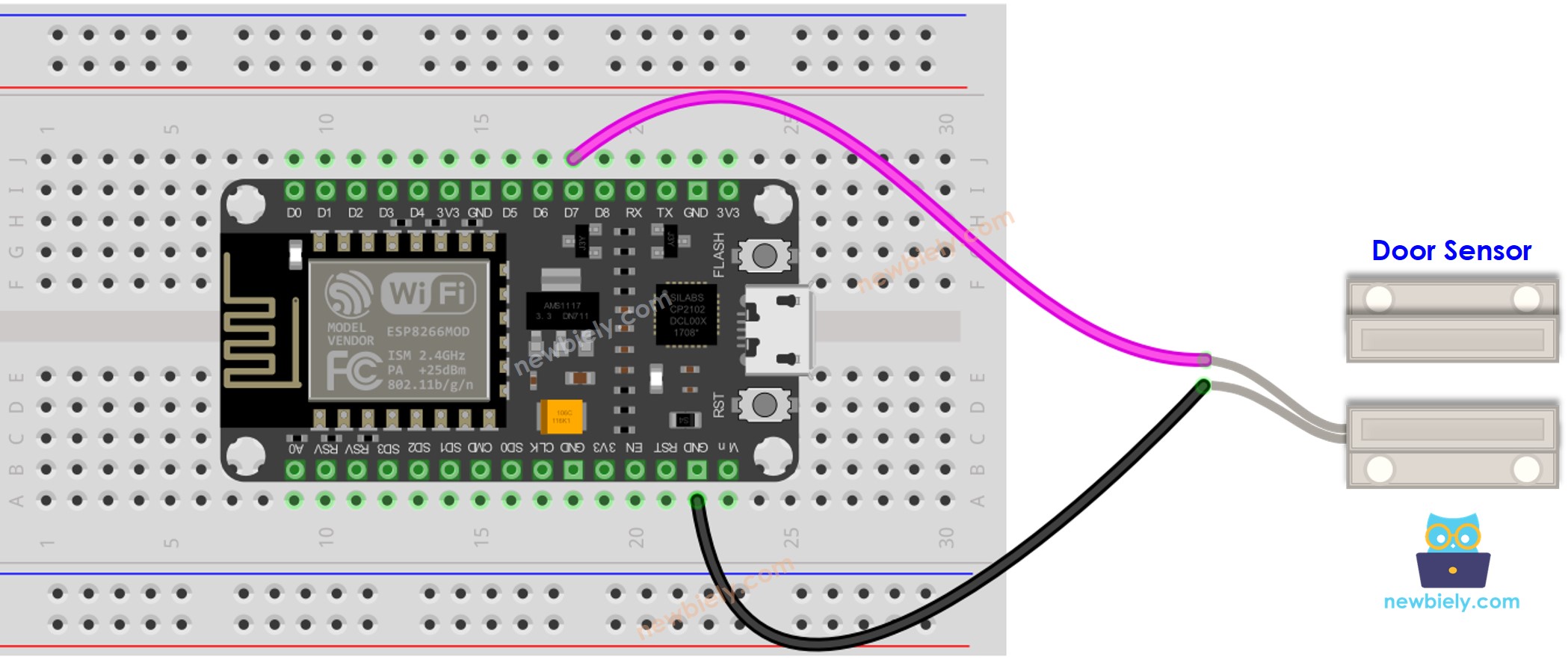
This image is created using Fritzing. Click to enlarge image
Xem thêm Sơ đồ chân ESP8266 và Cách cấp nguồn cho ESP8266.
Mã ESP8266
Hướng dẫn từng bước
Để bắt đầu với ESP8266 trên Arduino IDE, hãy làm theo các bước sau:
- Xem hướng dẫn ESP8266 - Cài đặt phần mềm nếu đây là lần đầu tiên bạn sử dụng ESP8266.
- Nối các thành phần như được hiển thị trong sơ đồ.
- Gắn cảm biến cửa lên cửa của bạn.
- Kết nối bảng ESP8266 với máy tính của bạn bằng cáp USB.
- Mở Arduino IDE trên máy tính của bạn.
- Chọn bo mạch ESP8266 phù hợp, chẳng hạn NodeMCU 1.0 (ESP-12E Module), và cổng COM tương ứng.
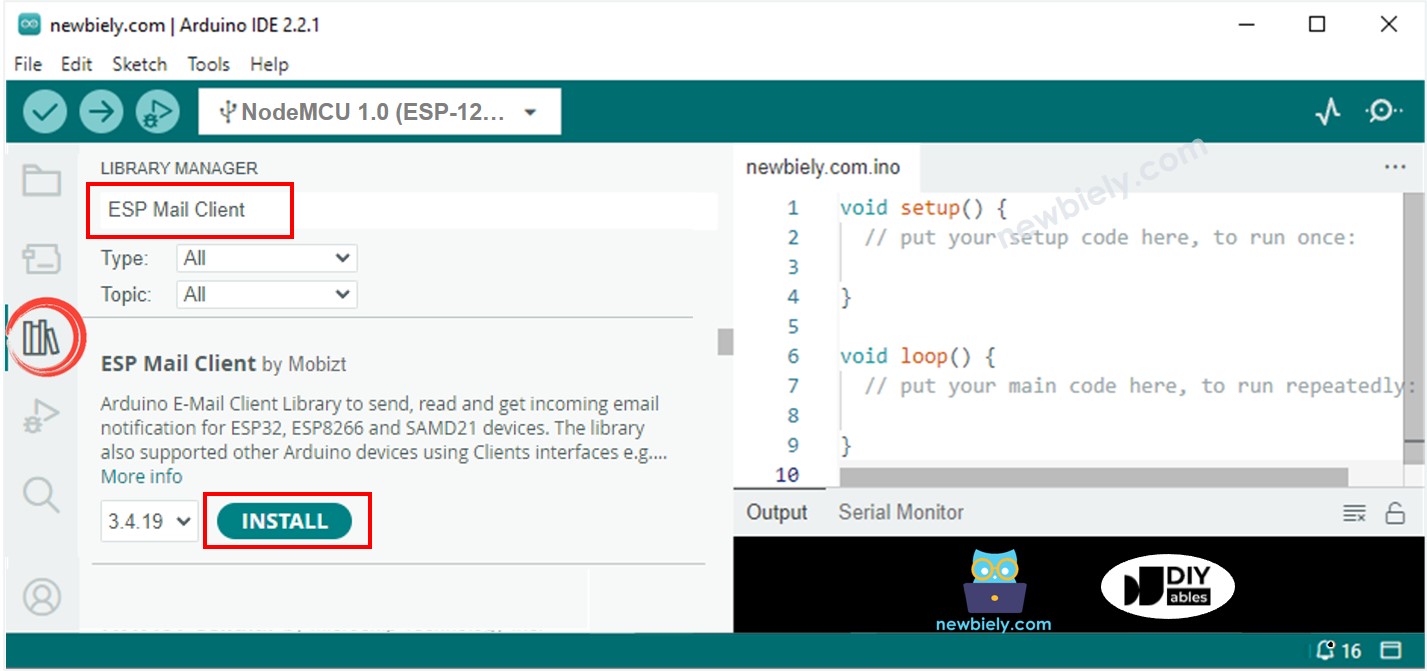
- Trong Arduino IDE, nhấn vào biểu tượng Library Manager ở menu bên trái để mở nó.
- Tìm kiếm ESP Mail Client và tìm ESP Mail Client do Mobizt phát triển.
- Nhấp nút Install để thêm thư viện ESP Mail Client.
- Sao chép mã và mở nó bằng Arduino IDE.
- Nhập thông tin WiFi của bạn (tên mạng và mật khẩu) vào mã. Cập nhật WIFI_SSID và WIFI_PASSWORD với thông tin của bạn.
- Đổi địa chỉ email và mật khẩu của người gửi trong mã. Thay SENDER_EMAIL và SENDER_PASSWORD bằng email và mật khẩu của bạn.
- Cập nhật địa chỉ email người nhận trong RECIPIENT_EMAIL thành chính email của bạn, nếu cần. Nó có thể giống với email của người gửi.
※ Lưu ý:
Đảm bảo email của người gửi dùng Gmail. Sử dụng mật khẩu ứng dụng được tạo trước đó làm mật khẩu cho người gửi. Email của người nhận có thể thuộc bất kỳ loại nào.
- Nhấp nút Tải lên trong Arduino IDE để gửi mã tới ESP8266.
- Mở Serial Monitor.
- Mở cửa.
- Kiểm tra kết quả trên Serial Monitor.
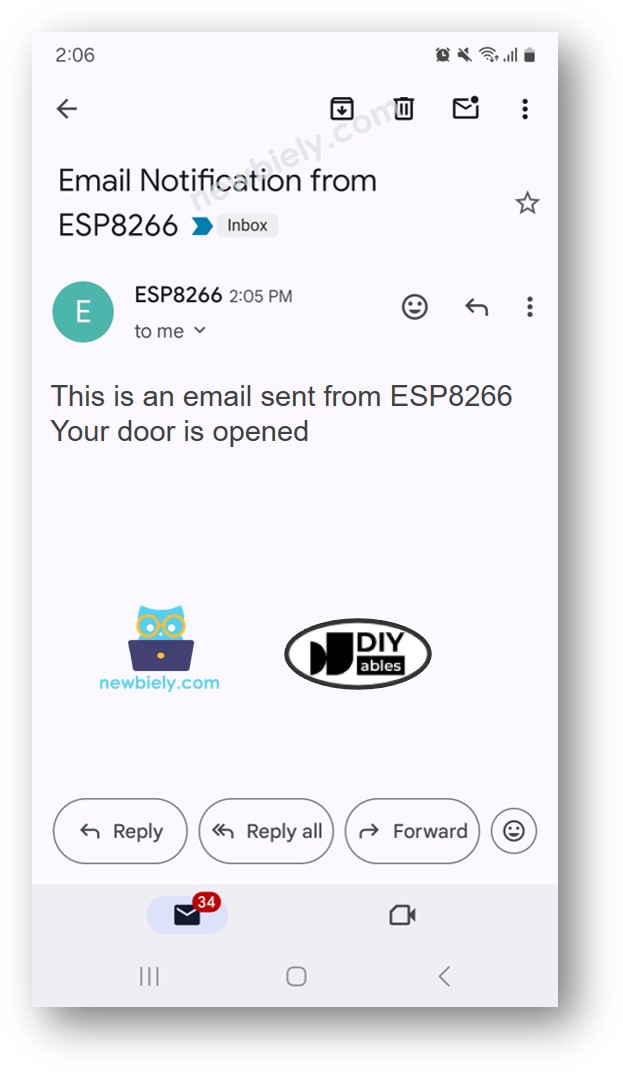
- Kiểm tra hộp thư đến email của người mà bạn đã gửi email. Bạn sẽ thấy một email trông như thế này:
Video Tutorial
Việc sản xuất video tốn rất nhiều thời gian. Nếu video hướng dẫn hữu ích cho việc học của bạn, hãy đăng ký kênh YouTube để ủng hộ. Nếu nhu cầu đủ cao, chúng tôi sẽ cố gắng làm thêm nhiều video.
Bài hướng dẫn liên quan
📱 Ứng dụng đề xuất
 English for KidsHọc tiếng Anh vui nhộn cho trẻ nhỏ.Tải về trênGoogle PlayTải về trênApp Store
 Bubble NoteGhi chú tự xóa — viết như nhắn tin.Tải về trênGoogle PlayTải về trênApp Store
 Tôi Không MuaĐánh bại mua sắm bốc đồng, tiết kiệm hơn.Tải về trênGoogle PlayTải về trênApp Store
 Con Đường Tri ThứcBài thi thử để học mọi thứ.Tải về trênGoogle PlayTải về trênApp Store